WAO Scan
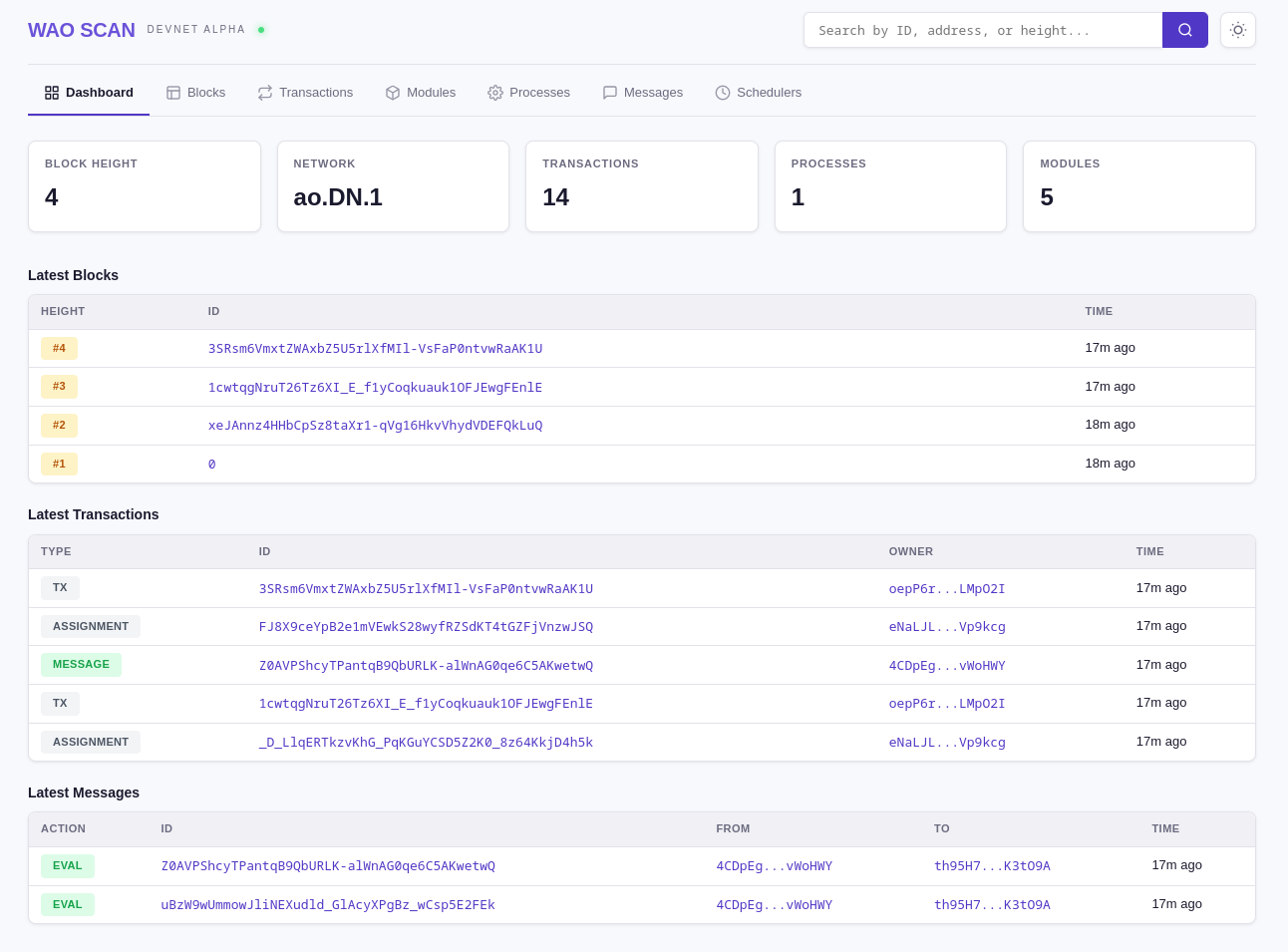
Every devnet instance ships with WAO Scan — a block explorer combining ViewBlock and AOLink into one. No separate tool to install — it's served at the root URL of your devnet.
Views
| View | What You See |
|---|---|
| Dashboard | Network stats, latest blocks, recent transactions |
| Blocks | Block list with height, timestamp, and transaction count |
| Transactions | All transactions with type badges (Message, Process, Module, Data) |
| Modules | WASM modules (uploaded and built-in) with process counts |
| Processes | AO processes with name, module, and message count |
| Messages | Messages with action, sender, target, and compute results |
| Schedulers | Registered scheduler units with address and URL |
| Entity Detail | Tags, raw data, compute result output, and message flow tree |
Live Updates
WAO Scan connects to the devnet via WebSocket (/ws). When you spawn a process, send a message, or post a transaction, it appears in the explorer in real time — no manual refresh needed.
Message Flow
The Message Flow tree on the entity detail view visualizes the full cause-and-effect chain for any message:
- Parent — the message that triggered this one
- Current — the message being viewed
- Replies — unrecorded compute results (output from handlers)
- Children — recorded messages sent by handlers
- Spawns — processes created by handlers
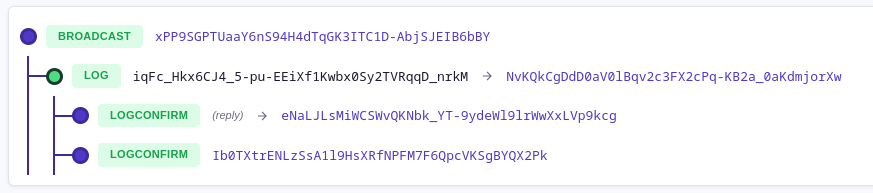
This makes it easy to trace the full execution path of any interaction across processes.
Accessing WAO Scan
# Local devnet
http://localhost:8788
# Remote devnet
https://wao-devnet.your-subdomain.workers.devSee Also
- Running a Devnet Node — Start a local or deployed devnet
- API Endpoints — Full reference for all unit endpoints